
AI and CRM Integration: Connecting a Support Bot to Your Organization
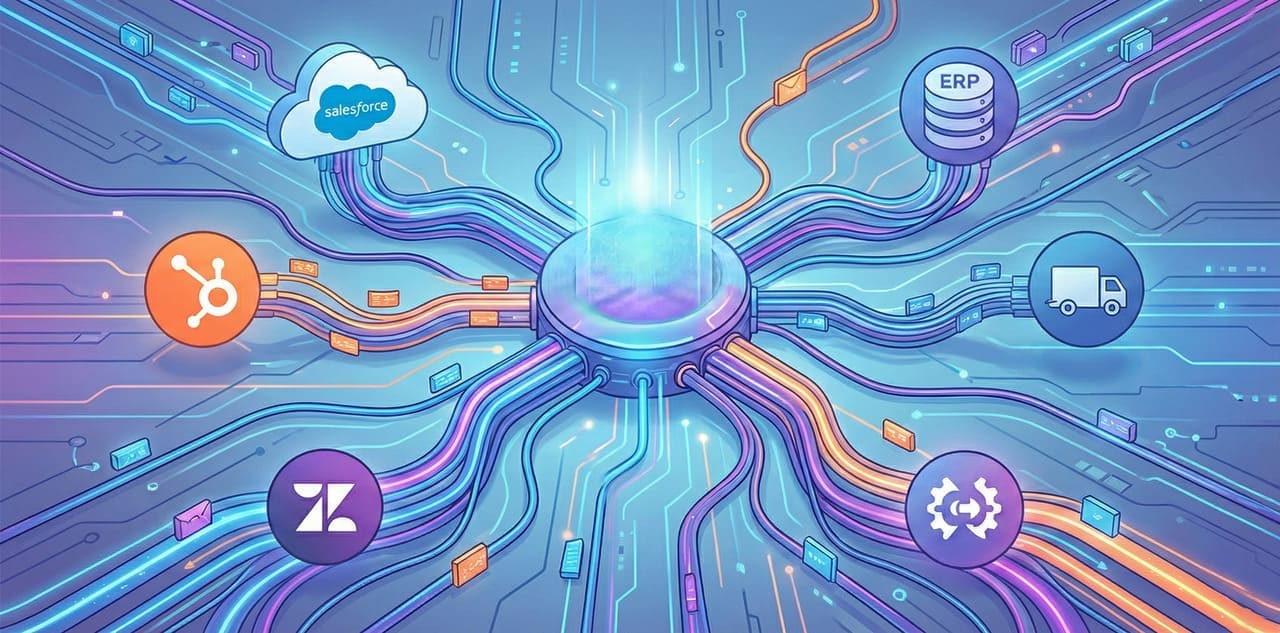
AI and CRM Integration: The Key to Smart Customer Service
An AI support bot is a powerful tool, but its true power is revealed only when it is connected to the organization's core systems. An "orphan" bot, which doesn't know the customer and cannot perform actions in the system, is essentially just an improved auto-responder. An integrated bot - that is already a full-fledged digital worker.
At WhaleBiz, one of the things that distinguishes us from standard "digital agencies" is our expertise in complex integrations. We don't just build smart bots; we connect them to the technological ecosystem of your business.
Why is integration critical?
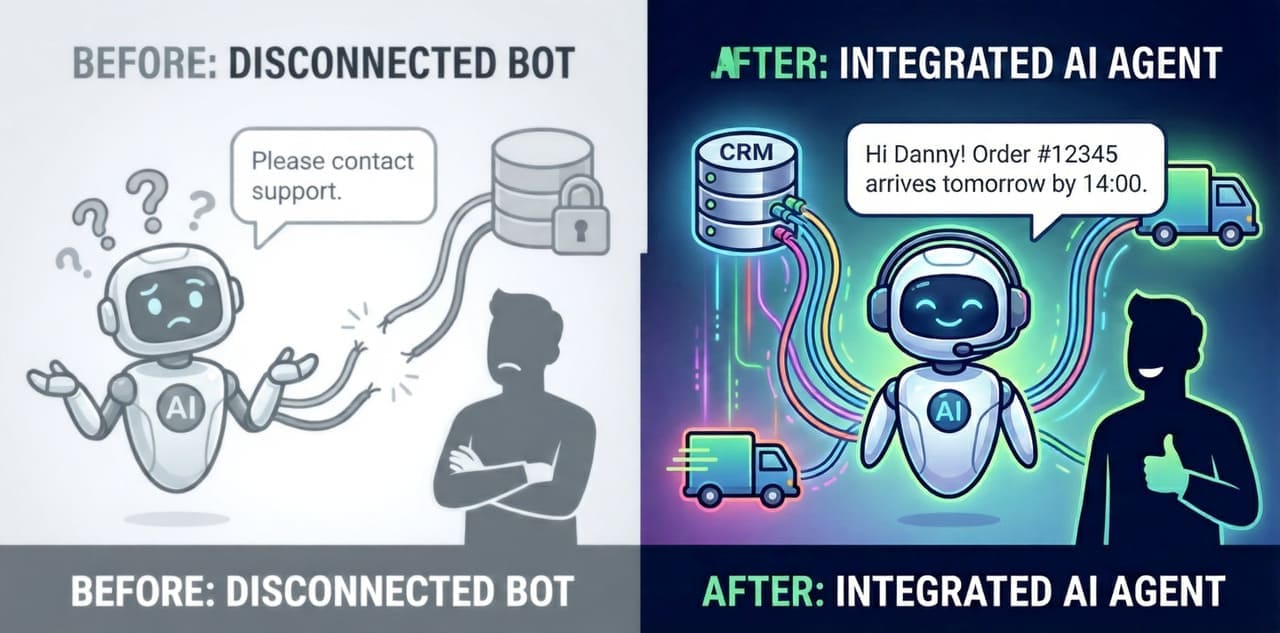
Imagine the following scenario: A customer contacts the support bot and asks, "When will my order arrive?".
Without integration: The bot answers, "Please contact our customer service" or asks for an order number and says, "We will check and get back to you."
With integration: The bot identifies the customer by their phone number, pulls the latest order from the CRM, checks the shipping status with the courier company, and answers: "Hi Danny, your order (number 12345) left this morning with Israel Deliveries and is expected to arrive tomorrow by 14:00. Would you like me to send you a tracking link?"
The difference is between frustration and an excellent experience.
The Systems We Integrate With
1. CRM Systems
Connecting to the CRM is the foundation - and if you are still choosing a CRM for a small or medium business, that choice shapes everything the bot can do. The bot needs to "know" the customer:
- Salesforce - Pulling purchase history, customer score, previous inquiries
- HubSpot - Information on the sales funnel stage, marketing interactions
- Monday CRM - Project status, open tasks
- Zoho, Pipedrive and other systems
Read more: How lead capture bots feed your CRM automatically and save manual typing.
What the bot can do:
- Identify a VIP customer and prioritize them
- See that the customer opened 3 tickets in the last month and address it
- Automatically update the CRM with the conversation content
2. Ticketing Systems
Instead of the bot being "separate" from the ticketing system, it becomes an integral part of it:
- Zendesk - Opening tickets, updating status, automatic closing
- Freshdesk - Routing to the right team, adding tags
- Jira Service Management - For tech companies
What the bot can do:
- Resolve an inquiry and close the ticket automatically
- Transfer to an agent with all the context (no need to repeat the story)
- Prioritize inquiries by urgency
3. Operational Systems
Here is where the real magic happens - taking actions, not just providing information:
- ERP Systems - Checking inventory, order status
- Billing Systems - Sending invoices, checking balance
- Calendars (Google Calendar, Calendly) - Scheduling meetings
- Shipping Systems - Real-time tracking
Want to know more? Discover how WhatsApp bots for businesses integrate with operational systems to improve service.
Want to consult with us?
We can help you choose, build and deploy the perfect AI solution for your business. Leave your details and we'll get back to you.
How Does It Work Technically?
Without getting too technical, here is the basic architecture:
The API Layer
Most modern systems expose an API (Application Programming Interface). We build "bridges" that allow the bot to communicate with these systems.
The Logic Layer
Here we define what the bot can do and when. For example:
- "If the customer asks about order status, pull from ERP"
- "If the inquiry is complex (more than 3 back-and-forth messages), open a ticket"
- "If the customer requests a refund over 500 NIS, transfer to a manager"
The Security Layer
Critical. We implement:
- Tiered permissions (the bot cannot delete customers, only read)
- Encryption of all communication
- Full audit logs
Table: Integration Levels and What They Enable
| Level | Capabilities | Examples |
|---|---|---|
| Basic | Read-only access | Viewing order history |
| Medium | Read + limited write | Opening a ticket, updating contact details |
| Advanced | Full actions | Password reset, order cancellation |
| Enterprise | Full automation + BI | Trend analysis, proactive alerts |
Frequently Asked Questions
Q: We have an old/custom system. Can it be connected?
A: In most cases, yes. If there is an API or even database access, we can build a connection. In complex cases, we build a Middleware layer.
Q: How long does an integration take?
A: It depends on complexity. Connecting to Zendesk or HubSpot takes a few days. Integration with an enterprise ERP can take 2-4 weeks.
Q: What about information security?
A: We work according to strict security standards. Data is encrypted, access is restricted, and every action is logged. For large organizations, we support On-Premise deployment.
Q: What happens if the integration fails?
A: Our system is built with Graceful Degradation. If the CRM is unavailable, the bot will continue to work on basic information and update when the system returns.
Why WhaleBiz?
There are many bot providers. But most of them focus on the "front end" - the conversation itself. We at WhaleBiz come from the world of Data and Integrations. We understand that a smart support bot is only as good as the information it can access.
Our team includes Data Science experts who know how to build the pipelines, deal with complex schemas, and ensure that data flows reliably and securely.
The Next Step
If you have CRM and ticketing systems, and you want an AI bot to work with them in harmony - let's talk. We will map your existing systems, identify critical connection points, and build an integration that will make the bot an integral part of the organization.
Contact us for a technical characterization meeting - and we'll show you how everything connects.

David Venzhyk
David specializes in building secure REST APIs and deploying scalable applications using Python, FastAPI, PostgreSQL, and AWS EC2. Combining his Computer Science background with experience in React and external API integrations, he engineers reliable, full-stack connected software infrastructure.